Table of Contents
This chapter describes how to install SysMaster in steps that include DB table creation, Master installation, and Web Admin installation.
The following is a summary of the Master installation process.
-
Configuring Repository DB
-
Installing Master
-
Verifying Master Installation
-
Creating Master Directory Structure
-
Verifying Master Environment Configuration
-
-
Verifying JEUS Installation Details
-
Master Startup and Shutdown
-
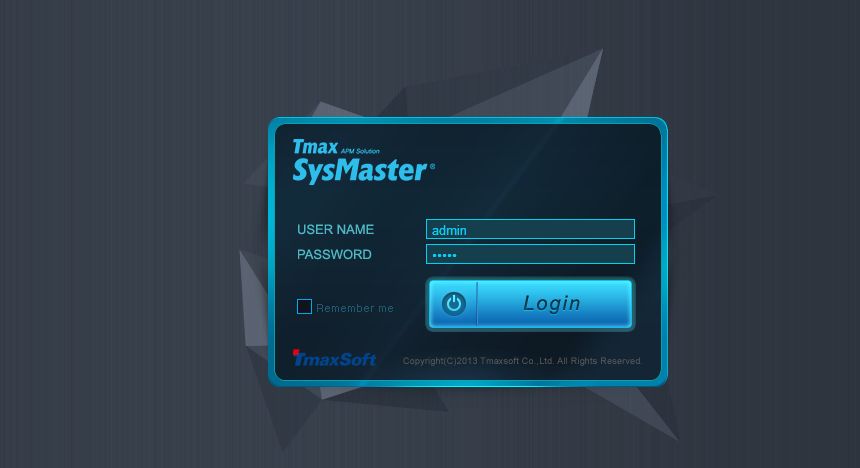
Starting Web Admin
Note
Master Server supports JDK 1.5 or later.
Since SysMaster uses the database to store internal data, various statistical resource data, and meta data, database is the basic requirement for using SysMaster.
SysMaster manages a variety of resources simultaneously and saves the statistics and execution information in the DB. Additional DB capacity is required depending on the number of resources and executions that need to be managed. Since DB capacity varies greatly depending on the operation method of statistics and executions, it should be decided after a careful consultation with the engineer in charge during the SysMaster installation.
This section describes how to install the Master server.
Note
JVM 1.5 or later must be installed on the server where SysMaster will be installed. The Provided Installer does not include the JVM.
Master is installed in the following order.
-
After granting execution permission for the SysMaster5_0_Master_Agent_Enterprise.bin file, execute the file. Select the language to proceed with the installation.
$ chmod u+x SysMaster5_0_Master_Agent_Enterprise.bin
$ ./SysMaster5_0_Master_Agent_Enterprise.bin
Preparing to install...
Extracting the installation resources from the installer archive...
Configuring the installer for this system's environment...

Launching installer...

Preparing CONSOLE Mode Installation...
===============================================================================
Choose Locale...
----------------

    1- English
  ->2- Korean

CHOOSE LOCALE BY NUMBER: 1

===============================================================================
SysMaster5.0                      (created with InstallAnywhere by Macrovision)
-------------------------------------------------------------------------------


===============================================================================
Introduction
------------

InstallAnywhere will guide you through the installation of SysMaster5.0.

It is strongly recommended that you quit all programs before continuing with
this installation.

Respond to each prompt to proceed to the next step in the installation.  If you
want to change something on a previous step, type 'back'.

You may cancel this installation at any time by typing 'quit'.

PRESS <ENTER> TO CONTINUE:
-
License Agreement is displayed.
=============================================================================== License Agreement ----------------- Installation and Use of SysMaster5.0 Requires Acceptance of the Following License Agreement: Installation and Use of SysMaster (hereafter, Software) Requires Acceptance of the Following License Agreement: TmaxSoft Co., Ltd. (hereafter, TmaxSoft) License Agreement (hereafter, Agreement) Product : SysMaster This is a legal agreement between you (either an individual or an company) and TmaxSoft. By opening the Software package and/or by installing or using the Software, you agree to be bound by the terms of this Agreement. This Agreement is a license agreement, not a sales contract, between you and TmaxSoft. 1. Grant of license: TmaxSoft hereby grants you a non-exclusive, non-transferable, non-sublicensable limited license to the Software and any intellectual property related to the Software including, but not limited to, user manuals and implementation instructions. You should read this Agreement carefully before opening the Software package, installing or using the Software. Once you open the Software package, install or use the Software, you are deemed to have agreed to the contents of this Agreement. 2. Copyright: The Software and all related intellectual property is owned by TmaxSoft and protected by copyright laws and international treaty provisions. You shall not use or copy the Software without usage authorization of TmaxSoft. You also shall not copy the printed materials accompanying the Software, nor print copies of any user documentation provided in online or electronic form. 3. Other restrictions: You shall not rent, lease, or lend the Software and accompanying materials on a permanent basis to any individual or company. You shall not, nor permit any third party to reverse engineer, decompile, disassemble, modify, adapt, create derivative works from or otherwise attempt to derive source code from the Software provided. TmaxSoft Co., Ltd. -
Enter y + <ENTER> to accept the terms of the agreement.
DO YOU ACCEPT THE TERMS OF THIS LICENSE AGREEMENT? (Y/N): y
-
Select the Install Set. For Master, enter 1 + <ENTER>.
=============================================================================== Choose Install Set ------------------ Please choose the Install Set to be installed by this installer. ->1- Master 2- Agent 3- Only Provider ENTER THE NUMBER FOR THE INSTALL SET, OR PRESS <ENTER> TO ACCEPT THE DEFAULT : -
Select the platform where SysMaster will be installed.
===============================================================================
Choose Platform
---------------

Choose current system ( platform-architecture )

1)HP-UX PA-RISC
2)HP-UX ITANIUM
3)AIX 5L
4)AIX 6L
5)AIX 7L
6)Solaris Sparc 7~10
7)Solaris x86 7~10
8)Linux i386
9)Linux ITANIUM
10)Linux x86_64
Quit) Quit Installer

Choose Current System (DEFAULT: 10):
-
Select the Web UI language.
=============================================================================== Choose the SysMaster Web UI language ------------------------------------ Please Choose the SysMaster Web UI language. (The language can be changed after installation.) ->1- English 2- Korean 3- previous ENTER THE NUMBER OF THE DESIRED CHOICE, OR PRESS <ENTER> TO ACCEPT THE DEFAULT: -
Select the kernel bit.
=============================================================================== Choose Kernel Bit ----------------- Please Choose Kernel Bit? ->1- 32bit 2- 64bit 3- previous ENTER THE NUMBER OF THE DESIRED CHOICE, OR PRESS <ENTER> TO ACCEPT THE DEFAULT: -
Enter JDK directory path.
===============================================================================
Choose JDK Folder
-----------------

Please Choose a Folder:

Input User JDK Folder (DEFAULT: /home/daehun2/java6):
-
Configure the Master Server.
===============================================================================
Choose Install Master Folder
----------------------------

Where would you like to install? (DEFAULT: /home/daehun2/sysmaster)
   : /home/daehun2/sysmaster/master5

===============================================================================
Password Input
--------------

Enter the Password for the administrator account. This password will be
registered in JEUS as the first user.

Input Password::

Corfirm Password::


===============================================================================
Choose Master Information
-------------------------

Master IP (DEFAULT: 192.168.32.199):

Master BASE PORT (DEFAULT: 22000):

JEUS BASE PORT (DEFAULT: 9746):

WEBTOB SHMKEY (DEFAULT: 65000):

WEBTOB BASE PORT (DEFAULT: 8080):

BASE CONTAINER HTTP PORT (DEFAULT: 9488):

WEB UI SERVICE PORT (DEFAULT: 9900):
-
Select the DB to use.
=============================================================================== Choose DB type --------------- ->1- Oracle 2- Tibero ENTER A COMMA-SEPARATED LIST OF NUMBERS REPRESENTING THE DESIRED CHOICES, OR PRESS <ENTER> TO ACCEPT THE DEFAULT: 2 -
Configure the DB information.
===============================================================================
Get Tibero JDBC Data Source
---------------------------

Enter requested information

Tibero Hostname (DEFAULT: 192.168.32.199):

Tibero SID (DEFAULT: tibero):

Tibero User Name (DEFAULT: sysmaster_db):

Tibero Password (DEFAULT: sysmaster_db):

Tibero listener port number (DEFAULT: 8629):
-
Enter the full path to the datasource library that will be used by JEUS, which is embedded in SysMaster.
===============================================================================
Choose Master DB Jdbc Library Full Path.(ex:/home/ora11g/oracle/jdbc/lib/ojdbc6.jar)
------------------------------------------------------------------------------------

Input Master DB Jdbc Library Full Path. (DEFAULT: /home/daehun2/sysmaster)
   : /home/daehun2/sysmaster/tibero5-jdbc.jar
-
Enter whether to install the Provider.
=============================================================================== Install Provider ---------------- Do you wish to install Provider file? ->1- YES 2- NO ENTER THE NUMBER OF THE DESIRED CHOICE, OR PRESS <ENTER> TO ACCEPT THE DEFAULT: 1 -
Select the Provider to install. When installing multiple Providers, use a comma-separated list.
=============================================================================== Choose Provider --------------- 1- was 2- oracle 3- tmax 4- webtob 5- tibero 6- anylink ENTER A COMMA-SEPARATED LIST OF NUMBERS REPRESENTING THE DESIRED CHOICES, OR PRESS <ENTER> TO ACCEPT THE DEFAULT: 1,2 -
Confirm the selected provider(s).
=============================================================================== Confirm Choose Provider ----------------------- You Choose was oracle Do you wish to change Provider file? Choose Yes or No ->1- NO 2- YES ENTER THE NUMBER OF THE DESIRED CHOICE, OR PRESS <ENTER> TO ACCEPT THE DEFAULT: -
Pre-installation summary is displayed. Press <ENTER> to start the installation.
=============================================================================== Pre-Installation Summary ------------------------ Please Review the Following Before Continuing: Product Name: SysMaster5.0 Disk Space Information (for Installation Target): Required: 658,382,799 bytes Available: 401,490,776,064 bytes PRESS <ENTER> TO CONTINUE: -
The following screen is displayed when installation is completed.
===============================================================================
Installing...
-------------

 [==================|==================|==================|==================]
 [------------------|------------------|------------------|------------------]


===============================================================================
Installation Complete
---------------------

Congratulations. SysMaster5.0 has been successfully installed to:
 /home/daehun2/sysmaster/master5

PRESS <ENTER> TO EXIT THE INSTALLER:
[Note]
If there is a blank space in the path that is entered during the installation in Windows, modify the path as in the following. Up to 8 characters can be used for a path by entering 6 characters followed by '~1' or '~2'.
-
Example 1
C:\Program Files\Java\jdk1.5.0_12 --> C:\Progra~1\Java\jdk1.5.0_12
-
Example 2
When both C:\Program Files and C:\Program Files (x86) exist, and Java is installed in C:\Program Files (x86) --> C:\Progra~2\Java\jdk1.5.0_12
-
Example 3
C:\Documents and Settings\Java\jdk1.5.0_12 --> C:\Docume~1\Java\jdk1.5.0_12
When the installation of Master is complete, verify that the installation was successful. This section describes how to verify the installation of the Master server.
The following directory is created when the Master has been installed successfully. (In the following example, the installation directory for the Master server has been set to 'sysmaster'.)
$sysmaster
    +- master
        +- Uninstaller
        +- backup
        +- bin
        +- config
        +- files
        +- jeus
        +- logs
        +- provider
        +- temp
        +- update
- Uninstaller
-
Contains SysMaster uninstallation files.
- backup
-
Backs up the existing binary when the binary is updated.
- bin
-
Contains executable files like smadmin, smmaster, etc.
- classes
-
Contains user binaries like user action plans.
- config
-
Contains property files needed for the Master Server operation.
- files
-
Contains the files needed for the Master Server operation.
- jeus
-
Contains JEUS installation files and the license files.
- logs
-
Contains the log files.
- provider
-
Contains *.zip,* sql, console files for Providers supplied by SysMaster.
- temp
-
Contains the data files when using FileJob to load the data before executing dbloader.
- update
-
Contains latest files for the automatic update of Master, Agent, and Console.
This section describes environment configurations of the Master server.
Some of the modified settings during installation are saved in the following files. The configuration settings can be checked in each file (smdown file cannot be modified).
These files define the basic settings required to operate the Master Server. Refer to "2.5.4. Verifying JEUS Environment Configurations" for information about configuring JEUS environment settings.
$SYSMASTER_HOME/config/sysmaster.properties
$SYSMASETR_HOME/bin/smmaster.env
$SYSMASTER_HOME/bin/smmaster
Note
If the timezones between Master, Web Admin, and Agent are different, the same time value can be displayed differently on each. Note that the time setting cannot be reset while Master is running. Since time setting varies by OS, refer to each OS manual.
.profile or .bash_profile
Check that the environment variable settings have been correctly saved.
WEBTOBDIR=/home/daehun2/sysmaster/master5/jeus/webserver
export WEBTOBDIR
PATH="/home/daehun2/sysmaster/master5/bin:/home/daehun2/sysmaster/master5/jeus/bin:
/home/daehun2/sysmaster/master5/jeus/webserver/bin:${PATH}"
export PATH
LD_LIBRARY_PATH="/home/daehun2/sysmaster/master5/jeus/webserver/lib:${LD_LIBRARY_PATH}"
export LD_LIBRARY_PATH
sysmaster.properties
Check that the database settings and hostname have been correctly saved.
# DB for General
db.vendor=tibero
db.datasource.refname=system
#db.client.charset=
#db.server.charset=
#db.encode=false

.................omitted

##############################################################################################
#   [ NETWORK ]
#
#   master.hostname            Master Hostname(IPAddress)
#
#   master.hostname            Master Hostname(IPAddress)
#
##############################################################################################
master.hostname=192.168.32.199

.................omitted

##############################################################################################
#
#   [ LOGGING ]
#
#   log.level                  Log Level(debug|info|warn|error|fatal|off)
#   log.format                 Log Format([%c:%-5p] %m {%C{1}.%M(%L)}%n)
#   log.redirect               false if u don't want to redirect logs to smlog file
#
##############################################################################################
log.level=debug
log.format=%d{HH:mm:ss} [%c{1}] [%-5p] %m%n
log.redirect=true
log.retention=7

ui.workinglist.max.cnt=40
ui.was.dashboard.lite=true
ui.analysis.max.cnt=40
...
The following is description of the properties.
| Property | Description |
|---|---|
| db.vendor | Use to check whether the database vendor setting has been applied correctly. (oracle, tibero) |
| master.hostname | Use to check whether Master Server's IP address has been applied correctly. (Master IP) |
| log.retention | Expiration date for deleting the logs. |
| ui.workinglist.max.cnt | Number of containers that can be selected from a dashboard. Up to 40 different colors can be displayed. |
| ui.was.dashboard.lite | If set to "true", up to 15 (1 line) active service bars can be displayed on a dashboard. This has higher priority than ui.workinglist.max.cnt. |
| ui.analysis.max.cnt | If set to "true", up to 15 (1 line) active service bars can be displayed on a dashboard. This has higher priority than ui.workinglist.max.cnt. |
| master.sql.print | Use to output SQL queries, which are executed against the Repository DB, to the Master smlog. (default: false) |
| master.packet.dump | Use to output messages to check errors when packets are exchanged between Master and DC/Agent. (default: false) |
| string.max.length | Maximum number of SQL Text bytes that can be saved. Use this option to prevent a DB Insert error that occurs when over-sized data is inserted into a database column. (default: 1500) |
| was.userid.enable | Option to enable the User ID column of the transaction execution list in WAS UI. (default: false) |
| ui.was.node.enable | Option to enable the function that automatically selects all child nodes of a parent node when it is selected from Working List in WAS UI. (default: false) |
| was.master.pfwas.enable | Option to enable items related to ProFrame WAS in WAS UI. (default: false) |
| ui.sound.enable | Option to enable a sound alarm when an event occurs. Three different sounds are used such as info, warning, and error=fatal. (default: false) |
| was.dashboard.page | If set to "was_dashboard_realtime_skt", the speed bars are removed from the real-time dashboard in WAS UI. |
| db.client.charset | Use to set the original character set of the Master server. (in general, UTF-8) |
| db.server.charset | Use to set the character set of the repository DB. |
| db.encode |
|
[Configuring when the Repository DB Character Set is US7ASCII]
After the initial start of the Master server and before adding a business or resource, the character set of the Repository DB must be known in order to configure the options.
....
db.client.charset=UTF-8
db.server.charset=8859_1
db.encode=true
....
[Performance Improvement Option]
The transmitted data can be categorized into the following data types collected by the Master server.
| Data Type | Description |
|---|---|
| Statistics data | Statistics (Stat) refer to the statistics data that are collected every 10 seconds. The target data is saved in Repository DB tables with 'ST' in their name, such as SMWS_ST_SERVICE_S table for WAS Provider. |
| Trace data | Transaction-specific data, such as SMWS_TX_HEADER_S table for WAS Provider. |
The Master server performance can be improved by configuring the following properties in MASTER_HOME/config/sysmaster.properties.
....
stat.thread.size=3
stat.max.data.size=5000
trace.thread.size=5
trace.max.data.size=10000
....
The following is description of the properties.
| Property | Description |
|---|---|
| stat.thread.size | Number of threads used to insert statistics data. (default value: 3) Controls threads that extract statistics data to insert into a statistics table (ST). |
| stat.max.data.size | Max data size used to prevent Master from generating an OOM(Out Of Memory) error due to the accumulation of statistics data (default value: 5000). |
| trace.thread.size | Number of threads used to insert trace data. (default value: 5) Controls threads that extract trace data to insert into a transaction table (TX). |
| trace.max.data.size | Max data size used to prevent Master from generating an OOM(Out Of Memory) due to the accumulation of trace data (default value: 10000) |
Modify the properties according to the environment to improve the Master server performance. The following describes how to modify the settings according to the environment. Modify the settings for the heaviest load. If MAX TPS is 1000 TPS or less, the system can operate under the default settings.
-
When the number of DB connections is sufficient or the load is heavy.
Increase the stat.thread.size or trace.thread.size value.
....
stat.thread.size=7
stat.max.data.size=5000
trace.thread.size=10
trace.max.data.size=10000
....
-
When the Master server memory is relatively small compared to the load.
Decrease the stat.max.data.size or trace.max.data.size value.
....
stat.thread.size=3
stat.max.data.size=1000
trace.thread.size=5
trace.max.data.size=2000
....
smmaster.env
The smmaster.env file contains the settings configured during the SysMaster binary installation. Open the file and check the saved configurations.
#
# For customizing SysMaster environment.
#

# set up SYSMASTER_HOME.
SYSMASTER_HOME=/home/daehun2/sysmaster/master5

# set up SYSMASTER_BASEPORT.
SYSMASTER_BASEPORT=22000

# set up JEUS_HOME.
JEUS_HOME=$SYSMASTER_HOME/jeus

# set up SYSMASTER_LOGPATH.
SYSMASTER_LOGPATH=$SYSMASTER_HOME/logs

# set up SYSMASTER_JAVA_ARGS.
SYSMASTER_JAVA_ARGS="-Dsysmaster.home=$SYSMASTER_HOME -Dsysmaster.port=$SYSMASTER_BASEPORT -Djeus.home=$JEUS_HOME -Dsysmaster.logpath=$SYSMASTER_LOGPATH"

# set up JAVA_HOME.
JAVA_HOME=/home/daehun2/java6

# setup JAVA_ARGS.
JAVA_ARGS="-Xms32m -Xmx64m"

export SYSMASTER_HOME SYSMASTER_BASEPORT SYSMASTER_LOGPATH SYSMASTER_JAVA_ARGS
export JEUS_HOME JAVA_HOME JAVA_ARGS
The following is description of the variables.
| Variable | Description |
|---|---|
| SYSMASTER_HOME | Installation directory. |
| SYSMASTER_BASEPORT | Automatically set to a number among BASEPORT(Default: 22000) +1, +2, +6, +7. The following is the description of SYSMASTER_BASEPORT. The communication ports for an Agent must be open both ways. masterPortRmiRegistry = basePort; masterPortJrmpAdaptor = basePort + 1; masterPortRequest = basePort + 2; masterPortStatServerDefault = basePort + 6; masterPortTXServerDefault = basePort + 7; |
| JEUS_HOME | Set to $SYSMASTER_HOME/jeus. |
| SYSMASTER_LOGPATH | Set to $SYSMASTER_HOME/logs. |
| SYSMASTER_JAVA_ARGS | No additional configuration is required. |
| JAVA_HOME, JAVA_ARGS | No additional configuration is required. |
smmaster
Verify that the password (-P{configured password} in the following example) that was specified during the installation has been configured properly.
#
#  Set up SysMaster master environment values.
#
. ./smmaster.env

echo "***************************************************************"
echo "  - SysMaster Home         : ${SYSMASTER_HOME}                 "
echo "  - SysMaster Base Port    : ${SYSMASTER_BASEPORT}             "
echo "***************************************************************"

#
# Update SysMaster master library.
#
echo "/usr/java5_64/bin/java -classpath $BOOTSTRAP_CLASSPATH $SYSMASTER_JAVA_ARGS sysmaster.startup.master.UpdateBootstrap F*"
$JAVA_HOME/bin/java -classpath $BOOTSTRAP_CLASSPATH $SYSMASTER_JAVA_ARGS sysmaster.startup.master.UpdateBootstrap F*

#
# Start up SysMaster master.
#
$WEBTOBDIR/bin/wsboot &
$JEUS_HOME/bin/jeus -xml -Uadministrator -Pjeusadmin &
This section describes how to check JEUS installation information.
JEUS has the following directory structure after a successful installation. For detailed information about each directory, refer to "JEUS 6.0 Installation Guide".
$MASTER_HOME
    +- jeus
        +- bin
        +- config
        +- lib
        +- license
        +- logs
        +- path
        +- webhome
        +- webserver
Verify the license of the installed product.
$SYSMASTER_HOME/jeus/license/license.dat
If there is a problem with the license, contact the sales representative or submit a license request to the department in charge.
Check the files in the JEUS binary directory.
-
Checking the files in the 'JEUS_HOME/lib/application' directory
-
Checking the webhome directory
Checking the Files in the 'JEUS_HOME/lib/application' Directory
Verify that the following files are located in the 'JEUS_HOME/lib/application' directory.
US_export_policy.jar
activation.jar
common-util.jar
commons-cli.jar
commons-codec.jar
commons-collections.jar
commons-configuration.jar
commons-dbcp.jar
commons-fileupload.jar
commons-httpclient.jar
commons-io.jar
commons-lang.jar
commons-lang3.jar
commons-logging.jar
commons-net.jar
commons-pool.jar
commons-primitives.jar
freemarker.jar
javassist.jar
jmxri.jar
json_simple.jar
libsmlic.so
libsmlic64.so
local_policy.jar
log4j.jar
mail.jar
ognl.jar
oro.jar
poi.jar
sqlbuilder.jar
struts2-core.jar
struts2-json-plugin.jar
sysmaster-base-bootstrap.jar
sysmaster-base.jar
webt30.jar
xwork-core.jar
Checking the webhome Directory
Verify the sysmaster directory after the Master server is started.
$SYSMASTER_HOME/jeus/webhome/app_home/sysmaster
Check the SysMaster v5.0 settings in the JEUS environment configuration file. For detailed information about the configurations, refer to each relevant section.
-
JEUSMain.xml
-
WEBMain.xml
-
vhost.properties
-
jeus.properties
-
jeus file
-
policies.xml
Checking JEUSMain.xml
-
Checking the Servlet Engine in the Container
-
container1: Handles the startup of the Master server (initialization using listener) using lifecycle-invocation.
-
container2: Processes some functions of container1 and Web UI.
<engine-container> <!-- Master Container -->
    <name>container1</name>
    <command-option>
        -Xms512m -Xmx1024m
        -Dsysmaster.name=container1
    </command-option>
    <engine-command>
        <type>servlet</type>
        <name>engine1</name>
    </engine-command>
    <sequential-start>true</sequential-start>
    <lifecycle-invocation>
        <class-name>sysmaster.master.ManagedServerBootStrap</class-name>
        <invocation>
            <invocation-method>
                <method-name>start</method-name>
            </invocation-method>
            <invocation-type>AFTER_DEPLOY</invocation-type>
        </invocation>
        <invocation>
            <invocation-method>
                <method-name>stop</method-name>
            </invocation-method>
            <invocation-type>BEFORE_UNDEPLOY</invocation-type>
        </invocation>
    </lifecycle-invocation>
</engine-container>
<engine-container> <!-- UI Container -->
    <name>container2</name>
    <command-option>
        -Xms128m  -Xmx256m -Duser.language=ko
        -Dsysmaster.name=container2
    </command-option>
    <engine-command>
        <type>servlet</type>
        <name>engine2</name>
    </engine-command>
    <sequential-start>true</sequential-start>
    <lifecycle-invocation>
        <class-name>sysmaster.master.UIServerBootStrap</class-name>
        <invocation>
            <invocation-method>
                <method-name>start</method-name>
            </invocation-method>
            <invocation-type>AFTER_DEPLOY</invocation-type>
        </invocation>
    </lifecycle-invocation>
</engine-container>
Note
For multi-language support, the '-Duser.language' option can be used in the <command-option> of container2(UI Container) according to the user environment (system locale).
-
-
Checking the directory configurations in the <application> element
<application> <absolute-path>/home/daehun2/sysmaster/master5/jeus/webhome/app_home</absolute-path> <name>sysmaster</name> <path>sysmaster</path> <deployment-type>COMPONENT</deployment-type> <web-component /> <deployment-target> <target> <engine-container-name>ubunqa_container2</engine-container-name> <web-context-group> <engine-container-name>ubunqa_container2</engine-container-name> <web-context-group> <name>SysMaster</name> </web-context-group> </target> </deployment-target> </application> -
Checking the datasource configurations (e.g., tibero)
<resource>
    <data-source>
        <database>
            <vendor>tibero</vendor>
            <export-name>system</export-name>
            <data-source-class-name>
            com.tmax.tibero.jdbc.ext.TbConnectionPoolDataSource
             </data-source-class-name>
            <data-source-type>ConnectionPoolDataSource</data-source-type>
            <database-name>tibero</database-name>
            <data-source-name>
            com.tmax.tibero.jdbc.ext.TbConnectionPoolDataSource
            </data-source-name>
            <description/>
            <network-protocol/>
            <port-number>8629</port-number>
            <server-name>192.168.32.199</server-name>
            <user>sysmaster_db</user>
            <password>sysmaster_db</password>
            <driver-type>thin</driver-type>
            <connection-pool>
                <pooling>
                    <min>20</min>
                    <max>50</max>
                    <step>10</step>
                    <period>600000</period>
                </pooling>
                <wait-free-connection>
                    <enable-wait>true</enable-wait>
                    <wait-time>10000</wait-time>
                </wait-free-connection>
            </connection-pool>
        </database>
    </data-source>
</resource>
If the table has been properly installed, the URL that is used by SysMaster to access the DB must be configured. For detailed information, refer to "2.4.2. Verifying Master Environment Configurations".
The following are the configurations for each DB vendor.
-
Oracle
<vendor>oracle</vendor>
<export-name>system</export-name>
<data-source-class-name>oracle.jdbc.pool.OracleConnectionPoolDataSource</data-source-class-name>
<data-source-type>ConnectionPoolDataSource</data-source-type>
<database-name>oracle</database-name>
<data-source-name>oracle.jdbc.pool.OracleConnectionPoolDataSource</data-source-name>
<description/>
<network-protocol/>
<port-number>8629</port-number>
<server-name>192.168.32.199</server-name>
<user>sysmaster_db</user>
<password>sysmaster_db</password>
<driver-type>thin</driver-type>
-
Tibero
<vendor>oracle</vendor>
<export-name>system</export-name>
<data-source-class-name>com.tmax.tibero.jdbc.ext.TbConnectionPoolDataSource</data-source-class-name>
<data-source-type>ConnectionPoolDataSource</data-source-type>
<database-name>tibero</database-name>
<data-source-name>com.tmax.tibero.jdbc.ext.TbConnectionPoolDataSource</data-source-name>
<description/>
<network-protocol/>
<port-number>8629</port-number>
<server-name>192.168.32.199</server-name>
<user>sysmaster_db</user>
<password>sysmaster_db</password>
<driver-type>thin</driver-type>
-
Checking WEBMain.xml
The WEBMain.xml file is located in the following location.
$JEUS_HOME/config/{hostname}_servlet_engine1 // Master Container(Container1)
$JEUS_HOME/config/{hostname}_servlet_engine2 // UI Container(Container2)
<{hostname}_servlet_engine1/cat WEBMain.xml>
<?xml version="1.0"?>
<web-container xmlns="http://www.tmaxsoft.com/xml/ns/jeus" version="6.0">
    <context-group>
        <group-name>SysMaster</group-name>
        <webserver-connection>
            <http-listener>
                <listener-id>http1</listener-id>
                <port>9488</port>
                <thread-pool>
                    <min>10</min>
                    <max>20</max>
                    <step>1</step>
                </thread-pool>
            </http-listener>
        </webserver-connection>
        <encoding>
            <request-url-encoding>
                <forced>UTF-8</forced>
            </request-url-encoding>
            <request-encoding>
                <default>EUC-KR</default>
            </request-encoding>
            <response-encoding>
                <default>UTF-8</default>
            </response-encoding>
        </encoding>
    </context-group>
</web-container>
<{hostname}_servlet_engine2/cat WEBMain.xml>
The access log in the logging section is set to false due to its disk usage, but the <enable> setting can be changed to true to check the Container's log.
<?xml version="1.0"?>
<web-container xmlns="http://www.tmaxsoft.com/xml/ns/jeus" version="6.0">
    <context-group>
        <group-name>SysMaster</group-name>
        <webserver-connection>
            <webtob-listener>
                <listener-id>webtob1</listener-id>
                <port>9900</port>
                <thread-pool>
                    <min>10</min>
                    <max>10</max>
                    <step>1</step>
                    <max-idle-time>30000</max-idle-time>
                </thread-pool>
                <webtob-address>localhost</webtob-address>
                <registration-id>MyGroup</registration-id>
            </webtob-listener>
        </webserver-connection>
        <encoding>
            <request-url-encoding>
                <forced>UTF-8</forced>
            </request-url-encoding>
            <request-encoding>
                <default>EUC-KR</default>
            </request-encoding>
            <response-encoding>
                <default>UTF-8</default>
            </response-encoding>
        </encoding>
        <logging>
          <access-log>
              <enable>false</enable>
          </access-log>
        </logging>
    </context-group>
</web-container>
Checking vhost.properties
Check the JEUS_BASEPORT setting in the vhost.properties file.
The file is located in the following directory.
$JEUS_HOME/config/vhost.properties
The following are the settings in vhost.properties.
jeus.vhost.enabled=true
{hostname}={hostname}:9736
Checking jeus.properties
The jeus.properties file is located in the following directory.
$JEUS_HOME/bin/jeus.properties
-
Set JEUS_BASEPORT.
-
Add 'lib/application' to JEUS_LIBPATH.
-
Add SYSMASTER_JAVA_ARGS to JAVA_ARGS. (Varies according to the machine.)
The following is an example of jeus.properties.
#
# For customizing JEUS environment.
#

# set up JEUS_BASEPORT.
JEUS_BASEPORT=9736

# set up JEUS_WSDIR.
JEUS_WSDIR="${JEUS_HOME}/webserver"

# set up JEUS_LIBPATH.
JEUS_LIBPATH="${JEUS_HOME}/lib/system:${JEUS_HOME}/lib/application"

# Select language for JEUS. Available value can be jp.
JEUS_LANG=ko

# set up SESSION_MEM
SESSION_MEM=-Xmx512m

# set up
JAVA_HOME="/home/daehun2/java6"

# setup JAVA_ARGS.
JAVA_ARGS="$SYSMASTER_JAVA_ARGS"

# set up JDK vendor. Possible values are Sun, HP, IBM, etc. Default, Sun.
JAVA_VENDOR=IBM

export JEUS_HOME JEUS_BASEPORT JEUS_LIBPATH JEUS_LANG
export JEUS_WSDIR JAVA_HOME JAVA_ARGS JAVA_VENDOR SESSION_MEM
Checking the changes in the JEUS file
Check that sysmaster has been added to the '-Djeus.properties.replicate' option in the jeus file.
The jeus file is located in the following directory.
$JEUS_HOME/bin/jeus
The following are the contents of the jeus file.
"${JAVA_HOME}/bin/java" $VM_OPTION  $SESSION_MEM                            \
    -Xbootclasspath/p:"${JEUS_HOME}/lib/system/extension.jar"               \
    -classpath "${JEUS_HOME}/lib/system/bootstrap.jar"                      \
    -Dsun.rmi.dgc.client.gcInterval=3600000                                 \
    -Dsun.rmi.dgc.server.gcInterval=3600000                                 \
    -Djava.library.path="${JEUS_LIBPATH}"                                   \
    -Djava.endorsed.dirs="${JEUS_HOME}/lib/endorsed"                        \
    -Djava.naming.factory.initial=jeus.jndi.JNSContextFactory               \
    -Djava.naming.factory.url.pkgs=jeus.jndi.jns.url                        \
    -Djava.net.preferIPv4Stack=true                                         \
    -Djava.util.logging.config.file="${JEUS_HOME}/bin/logging.properties"   \
    -Djeus.home="${JEUS_HOME}"                                              \
    -Djeus.baseport=${JEUS_BASEPORT}                                        \
    -Djeus.jvm.version=${VM_TYPE}                                           \
    -Djeus.tm.checkReg=true                                                 \
    -Djeus.tool.webadmin.locale.language=${JEUS_LANG}                       \
    -Djeus.tm.checkReg=true                                                 \
    -Djeus.tool.webadmin.locale.language=${JEUS_LANG}                       \
    -Djeus.net.reuseAddress=true                                            \
    -Djeus.properties.replicate=sysmaster,jeus,sun.rmi,java.util,java.net   \
    ${JAVA_ARGS}                                                            \
    jeus.server.JeusBootstrapper ${BOOT_PARAMETER}
Checking the changes in policies.xml
Check the <resource-permissions> section in policies.xml.
The policies.xml file is located in the following directory.
$JEUS_HOME/config/hostname/security/SYSTEM_DOMAIN/policies.xml
The following are the contents of policies.xml.
<policies xmlns="http://www.tmaxsoft.com/xml/ns/jeus" version="6.0">
    <policy>
        <role-permissions>
            <role-permission>
                <principal>administrator</principal>
                <role>AdministratorsRole</role>
            </role-permission>
            <role-permission>
                <principal>anonymous</principal>
                <role>jndiUser</role>
            </role-permission>
        </role-permissions>
        <resource-permissions>
            <context-id>default</context-id>
            <resource-permission>
                <role>AdministratorsRole</role>
                <resource>jeus.*</resource>
                <actions>*</actions>
            </resource-permission>
            <resource-permission>
                <role>jndiUser</role>
                <resource>jeus.jndi.*</resource>
                <actions>*</actions>
            </resource-permission>
        </resource-permissions>
    </policy>
</policies>
~
Check the SysMaster settings in the environment configuration file (modify ws_engine.m) of the embedded WebtoB in JEUS.
ws_engine.m
Modify JSVPORT and group name in the WebtoB configuration file as specified in the JEUS WEBMain.xml file. Because excessive amounts of access.logs tend to accumulate on the Web server, the log1 setting has been commented out. Uncomment the setting to use the access.log setting. For more information, refer to the "WebtoB Administrator's Guide".
<ws_engine.m>
*DOMAIN
jeuservice

*NODE
ubunqa
  WEBTOBDIR = "/home/daehun2/sysmaster/master5/jeus/webserver",
  SHMKEY    = 65000,
  DOCROOT   = "/home/daehun2/sysmaster/master5/jeus/webserver/docs",
  PORT      = "9488",
#  LOGGING   = "log1",
  ERRORLOG  = "log2",
  JSVPORT   = 9900,
  HTH       = 1

*SVRGROUP
htmlg       NODENAME = "ubunqa", SVRTYPE = HTML
#cgig       NODENAME = "ubunqa", SVRTYPE = CGI
#ssig       NODENAME = "ubunqa", SVRTYPE = SSI
jsvg        NODENAME = "ubunqa", SVRTYPE = JSV

*SERVER
html        SVGNAME  = htmlg, MinProc = 10,  MaxProc = 20, ASQCount = 10
#cgi        SVGNAME  = cgig,  MinProc = 1,  MaxProc = 2
#ssi        SVGNAME  = ssig,  MinProc = 1,  MaxProc = 2
MyGroup     SVGNAME  = jsvg,  MinProc = 10,  MaxProc = 50

*URI
htmlUrl   Uri = "/sysmaster/resource/",  Svrtype = HTML

*ALIAS
alias1     URI = "/cgi-bin/",
           RealPath = "/home/daehun2/sysmaster/master5/jeus/webserver/cgi-bin/"

*LOGGING
#log1        Format   = "DEFAULT",
#            FileName = "/home/daehun2/sysmaster/master5/jeus/webserver/log/access.log",
#            Option = "sync"
log2        Format   = "ERROR",
            FileName = "/home/daehun2/sysmaster/master5/jeus/webserver/log/error.log",
            Option = "sync"

*EXT
htm         MimeType = "text/html",  SvrType = HTML
jsp         Mimetype ="application/jsp",  Svrtype=JSV,  SvrName=MyGroup
action      Mimetype ="application/jsp",  Svrtype=JSV,  SvrName=MyGroup
Execute the created configuration file.
[daehun2:/home/daehun2/sysmaster/master5/jeus/webserver/config]$wscfl -i ws_engine.m
        Current configuration:
                Number of client handler(HTH) = 1
                Supported maximum user per node = 8162
                Supported maximum user per handler = 8162
CFL is done successfully for node(ubunqa(ubunqa))
[daehun2:/home/daehun2/sysmaster/master5/jeus/webserver/config]$wsgst
SVC tables are successfully generated
GST is successfully done
If the file executes successfully, start WebtoB by using the following command.
wsboot
This section describes how to start and terminate the Master Server.
The following are the steps for starting the Master Server.
-
Execute smmaster from the '$MASTER_HOME/bin' directory.
$ pwd
$ SYSMASTER_HOME/bin
$ smmaster
-
If the Master Server starts successfully, the following log is displayed.
**************************************************************
        MASTER [container2] READY...
**************************************************************

SysMaster ui server boot success...
[18:05:13] All stdout,stderr will be redirect to: /home/daehun2/sysmaster/master5/logs/smlog.container2

[2014.01.21 18:05:13][2][b216] [container2-10] [JMX-0011] create MBean :
JEUS:j2eeType=JeusService,jeusType=WebListener,JMXManager=ubunqa_container2,
WebEngine=ubunqa_servlet_engine2,J2EEServer=ubunqa_container2,JeusManager=ubunqa,
ContextGroup=SysMaster,name=webtob1
[2014.01.21 18:05:13][2][b216] [container2-10] [JMX-0011] create MBean :
JEUS:j2eeType=JeusService,jeusType=ThreadPool_WEBC,JMXManager=ubunqa_container2,
ContextGroup=SysMaster,WebEngine=ubunqa_servlet_engine2,J2EEServer=ubunqa_container2,
JeusManager=ubunqa,WebListener=webtob1,name=webtob1-hth0(localhost_9900)
[2014.01.21 18:05:13][2][b216] [container2-10] [WEB-2052] <listener(webtob1)> connection init successful. port = 9900
[2014.01.21 18:05:13][2][b216] [container2-10] [WEB-3413] (SysMaster) ready to receive request
[2014.01.21 18:05:13][2][b216] [container2-10] [MGR-0103] engine container[ubunqa_container2] is READY
[2014.01.21 18:05:13][2][b216] [container2-10] [MGR-0101] currently running engines of engine container[ubunqa_container2] : [ubunqa_servlet_engine2]
[2014.01.21 18:05:13][2][b216] [container2-14] [WEB-3384] unix(hth-0:9900:129) established
[2014.01.21 18:05:13][2][b216] [container2-15] [WEB-3384] unix(hth-0:9900:142) established
[2014.01.21 18:05:13][2][b216] [container2-16] [WEB-3384] unix(hth-0:9900:143) established
[2014.01.21 18:05:13][2][b216] [container2-17] [WEB-3384] unix(hth-0:9900:144) established
[2014.01.21 18:05:13][2][b216] [container2-18] [WEB-3384] unix(hth-0:9900:145) established
[2014.01.21 18:05:13][2][b216] [container2-19] [WEB-3384] unix(hth-0:9900:146) established
[2014.01.21 18:05:13][2][b216] [container2-20] [WEB-3384] unix(hth-0:9900:147) established
[2014.01.21 18:05:13][2][b216] [container2-21] [WEB-3384] unix(hth-0:9900:148) established
[2014.01.21 18:05:13][2][b216] [container2-22] [WEB-3384] unix(hth-0:9900:149) established
[2014.01.21 18:05:13][2][b216] [container2-23] [WEB-3384] unix(hth-0:9900:150) established
[2014.01.21 18:05:13][0][b216] [container2-22] [WEB-3347] worker(webtob1-hth0(localhost:9900)-w04:unix(hth-0:9900:149)) : reconnect successful
[2014.01.21 18:05:13][0][b216] [container2-19] [WEB-3347] worker(webtob1-hth0(localhost:9900)-w08:unix(hth-0:9900:146)) : reconnect successful
[2014.01.21 18:05:13][0][b216] [container2-16] [WEB-3347] worker(webtob1-hth0(localhost:9900)-w01:unix(hth-0:9900:143)) : reconnect successful
[2014.01.21 18:05:13][0][b216] [container2-15] [WEB-3347] worker(webtob1-hth0(localhost:9900)-w03:unix(hth-0:9900:142)) : reconnect successful
[2014.01.21 18:05:13][0][b216] [container2-20] [WEB-3347] worker(webtob1-hth0(localhost:9900)-w07:unix(hth-0:9900:147)) : reconnect successful
[2014.01.21 18:05:13][0][b216] [container2-21] [WEB-3347] worker(webtob1-hth0(localhost:9900)-w09:unix(hth-0:9900:148)) : reconnect successful
[2014.01.21 18:05:13][0][b216] [container2-14] [WEB-3347] worker(webtob1-hth0(localhost:9900)-w00:unix(hth-0:9900:129)) : reconnect successful
[2014.01.21 18:05:13][0][b216] [container2-18] [WEB-3347] worker(webtob1-hth0(localhost:9900)-w05:unix(hth-0:9900:145)) : reconnect successful
[2014.01.21 18:05:13][0][b216] [container2-17] [WEB-3347] worker(webtob1-hth0(localhost:9900)-w02:unix(hth-0:9900:144)) : reconnect successful
[2014.01.21 18:05:13][0][b216] [container2-23] [WEB-3347] worker(webtob1-hth0(localhost:9900)-w06:unix(hth-0:9900:150)) : reconnect successful
[2014.01.21 18:05:13][0][b216] [ubunqa-13] [MGR-0303] engine container[ubunqa_container2] initialization successfully done [pid : 20367]
[2014.01.21 18:05:13][0][b216] [ubunqa-10] [MGR-0242] JeusServer one-step booting successful : [ubunqa_container1, ubunqa_container2]
Terminating the SysMaster server is same as terminating an active process of a WAS server, JEUS. After terminating all processes of each container, the WAS Administrator process can be terminated.
The following are the steps for terminating the Master Server.
-
Execute smdown from the '$MASTER_HOME/bin' directory.
$ pwd
/home/daehun2/sysmaster/master5/bin
$ smdown
-
If the Master Server terminates successfully, the following log is displayed.
[2014.01.21 18:44:26][2][b216] [ubunqa-14] [JMXR-0102] JMXConnector is shutting down
[2014.01.21 18:44:26][1][b216] [ubunqa-14] [Network-1023] OnePortServer virtual listener /JEUSMP_ubunqa unregistered
[2014.01.21 18:44:26][2][b216] [ubunqa-14] [JMX-0019] destroy MBean :
JEUS:j2eeType=JeusService,jeusType=JMXExportService,JMXManager=ubunqa,
JeusManager=ubunqa,J2EEServer=null,name=ubunqa
[2014.01.21 18:44:26][1][b216] [ubunqa-14] [Network-1023]
OnePortServer virtual listener BeaconHandler unregistered
[2014.01.21 18:44:26][2][b216] [ubunqa-14] [JMX-0019] destroy MBean :
JEUS:j2eeType=JeusService,jeusType=ClusterService,JMXManager=ubunqa, JeusManager=ubunqa,name=ubunqa
[2014.01.21 18:44:26][2][b216] [ubunqa-14] [JNDI.Local-0012] successfully stopped.
[2014.01.21 18:44:26][0][b216] [ubunqa-15] [Network-0214] close NIO selector : BeaconHandler-Selector
[2014.01.21 18:44:26][2][b216] [ubunqa-14] [JNSS-0023] unexporting JNDI naming server...
[2014.01.21 18:44:26][1][b216] [ubunqa-14] [Network-1023] OnePortServer virtual listener JNSServer unregistered
[2014.01.21 18:44:26][0][b216] [ubunqa-16] [Network-0214] close NIO selector : JNSServer-Selector
[2014.01.21 18:44:26][2][b216] [ubunqa-14] [JMX-0019] destroy MBean :
JEUS:j2eeType=JeusService,jeusType=ThreadPool,JMXManager=ubunqa,
JeusManager=ubunqa,J2EEServer=null,name=JNSServer
[2014.01.21 18:44:26][2][b216] [ubunqa-14] [JNSS-0030] JNDI naming server successfully unexported.
[2014.01.21 18:44:26][2][b216] [ubunqa-14] [JMX-0019] destroy MBean :
JEUS:j2eeType=JeusService,jeusType=JNDIResourceService,JMXManager=ubunqa,
JeusManager=ubunqa,name=ubunqa
[2014.01.21 18:44:26][1][b216] [ubunqa-14] [Network-1023] OnePortServer virtual listener 4740 unregistered
[2014.01.21 18:44:26][2][b216] [ubunqa-14] [JMX-0019] destroy MBean :
JEUS:j2eeType=JeusService,jeusType=ThreadPool,JMXManager=ubunqa,JeusManager=ubunqa,
J2EEServer=null,name=WebLinkManager
[2014.01.21 18:44:26][1][b216] [ubunqa-14] [EJB-6453] class ftp unexported
[2014.01.21 18:44:26][2][b216] [ubunqa-14] [JMX-0019] destroy MBean :
JEUS:j2eeType=JeusService,jeusType=ClassFTPService,JMXManager=ubunqa,JeusManager=ubunqa,name=ubunqa
[2014.01.21 18:44:26][2][b216] [ubunqa-14] [JMX-0019] destroy MBean :
JEUS:j2eeType=JeusService,jeusType=NodeControllerService,JMXManager=ubunqa, JeusManager=ubunqa,name=ubunqa
[2014.01.21 18:44:26][2][b216] [ubunqa-14] [JMX-0019] destroy MBean :
JEUS:j2eeType=JeusService,jeusType=SecurityService,JMXManager=ubunqa, JeusManager=ubunqa,name=SecurityService
[2014.01.21 18:44:26][1][b216] [ubunqa-14] [Network-1023] OnePortServer virtual listener SecurityServer unregistered
[2014.01.21 18:44:26][2][b216] [ubunqa-14] [MGR-0186] Node security manager uninstalled
[2014.01.21 18:44:26][2][b216] [ubunqa-14] OnePortServer[0.0.0.0/0.0.0.0:4737] is successfully shutdown.
[2014.01.21 18:44:26][0][b216] [ubunqa-17] [Network-0214] close NIO selector : DefaultSelector
[2014.01.21 18:44:26][0][b216] [ubunqa-18] [Network-0214] close NIO selector : ServerSecurity-Selector
[2014.01.21 18:44:27][0][b216] [ubunqa-14] [MGR-0265] JeusServer Exits
ubunqa jeusexit successful

WSDOWN for node(ubunqa) is starting:
        WSDOWN: SERVER(:0) downed: Tue Jan 21 18:44:37 2014
        WSDOWN: SERVER(:1) downed: Tue Jan 21 18:44:37 2014
        WSDOWN: SERVER(:2) downed: Tue Jan 21 18:44:37 2014
        WSDOWN: SERVER(:3) downed: Tue Jan 21 18:44:37 2014
        WSDOWN: SERVER(:4) downed: Tue Jan 21 18:44:37 2014
        WSDOWN: SERVER(:5) downed: Tue Jan 21 18:44:37 2014
        WSDOWN: SERVER(:6) downed: Tue Jan 21 18:44:37 2014
        WSDOWN: SERVER(:7) downed: Tue Jan 21 18:44:37 2014
        WSDOWN: SERVER(:8) downed: Tue Jan 21 18:44:37 2014
        WSDOWN: SERVER(:9) downed: Tue Jan 21 18:44:37 2014
        WSDOWN: HTL downed: Tue Jan 21 18:44:37 2014
        WSDOWN: HTH downed: Tue Jan 21 18:44:37 2014
        WSDOWN: WSM downed: Tue Jan 21 18:44:37 2014
        WSDOWN: WEBTOB is down
This section describes how to use smpwd.
Smpwd is a module that encrypts and decrypts the password of a SysMaster admin account or a user account by using a DESede key. For more information, refer to the following URL.
http://docs.oracle.com/javase/6/docs/technotes/guides/security/SunProviders.html
The following describes how to use the BASE64 encoding for a value created by using the key.
The verified password can be used after updating it in the USER_PWD column of the SMB_USR_USER table in the SysMaster Repository DB.
-
Encryption
encrypt : smpwd -e admin
-
Decryption
decrypt : smpwd -d EhT***