System
This chapter describes the main features of the [System] menu in OpenFrame Manager.
1. Overview
The [System] menu provides the current database lock and session information for the OpenFrame system.
Click the [System] from the top menu bar and then select the task to perform from the Navigation area.
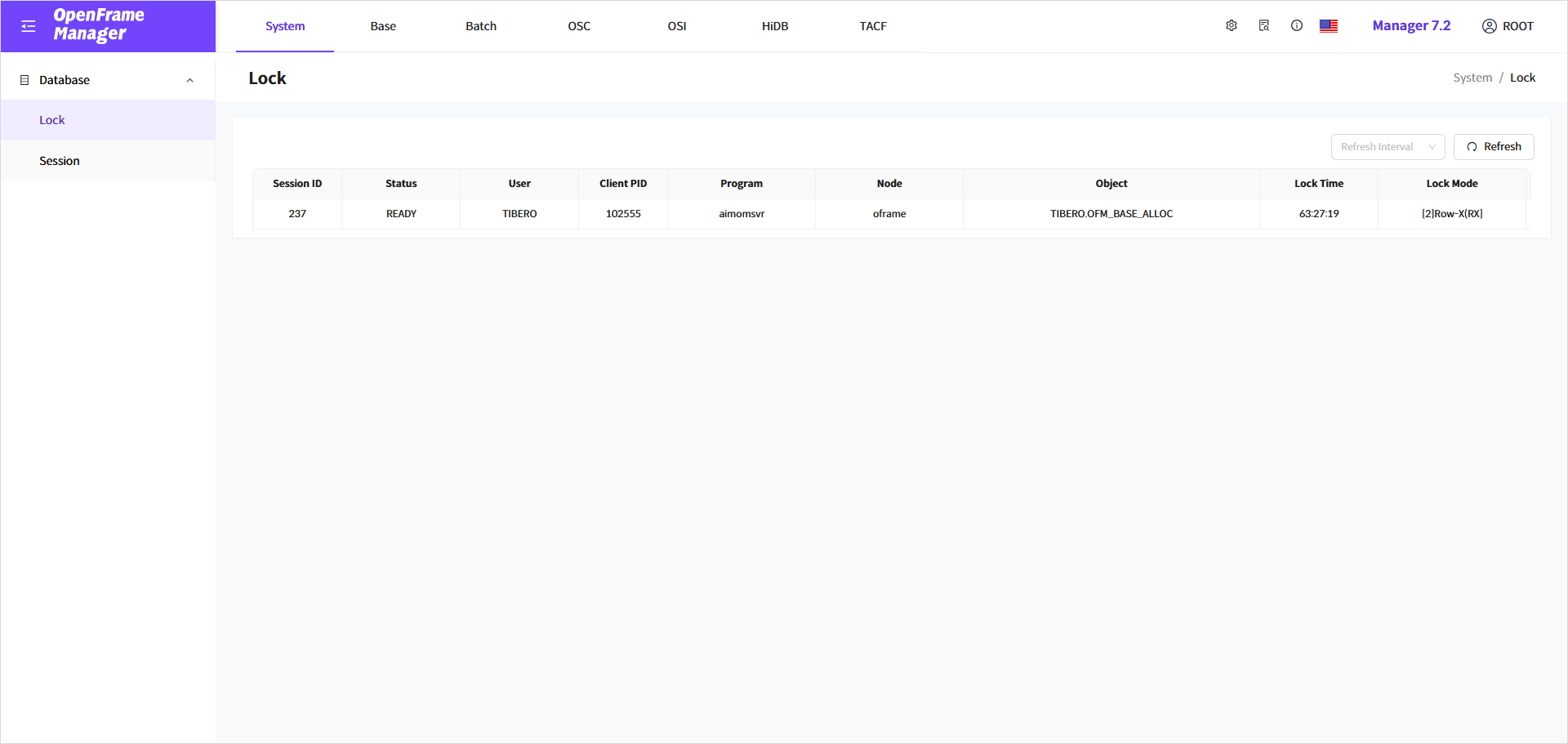
The menus available in the Navigation area are as follows:
| Menu | Description |
|---|---|
Displays a list of locks. |
|
Displays a list of sessions. |
2. Lock
Clicking the [Lock] menu in the Navigation area allows the user to view the lock information currently applied to the database in the OpenFrame system.
To monitor the lock information at a specific interval, select the desired interval from the [Refresh Interval] dropdown in the Lock screen. Click the [Refresh] button to view the latest information.
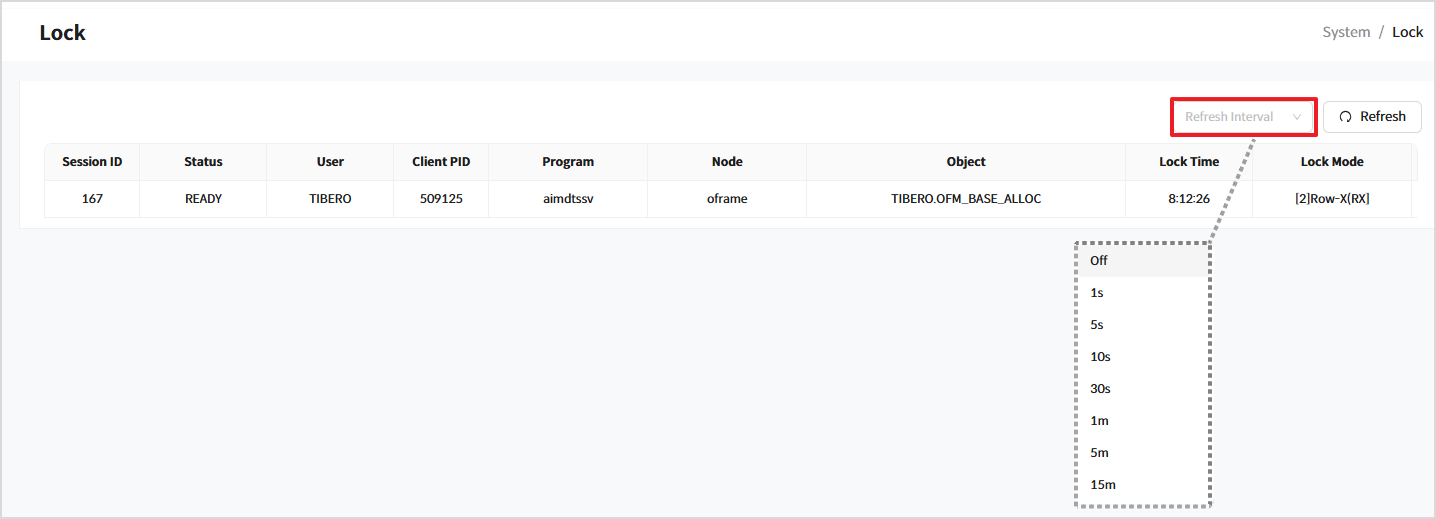
| Item | Description |
|---|---|
Session ID |
The ID of the session performing the transaction. |
Status |
The status of the session performing the transaction. |
User |
The user of the session performing the transaction. |
Client PID |
The PID of the client performing the transaction. |
Program |
The name of the program (OpenFrame server) performing the transaction. |
Node |
The name of the node (OpenFrame Node) performing the transaction. |
Object |
The Object in which the DML Lock is applied. |
Lock Time |
The Time during which the DML Lock is applied. |
Lock Mode |
Types of DML locks (RS=1, RX=2, S=3, SRX=4, X=5). |
3. Session
Selecting [Session] menu in the Navigation area displays all sessions connected to the target database and the number of active sessions in the OpenFrame system.
In the [Session] screen, you can select a specific interval from the [Refresh Interval] dropdown list to monitor session information at a regular interval. To view the latest information, click the [Refresh] button.
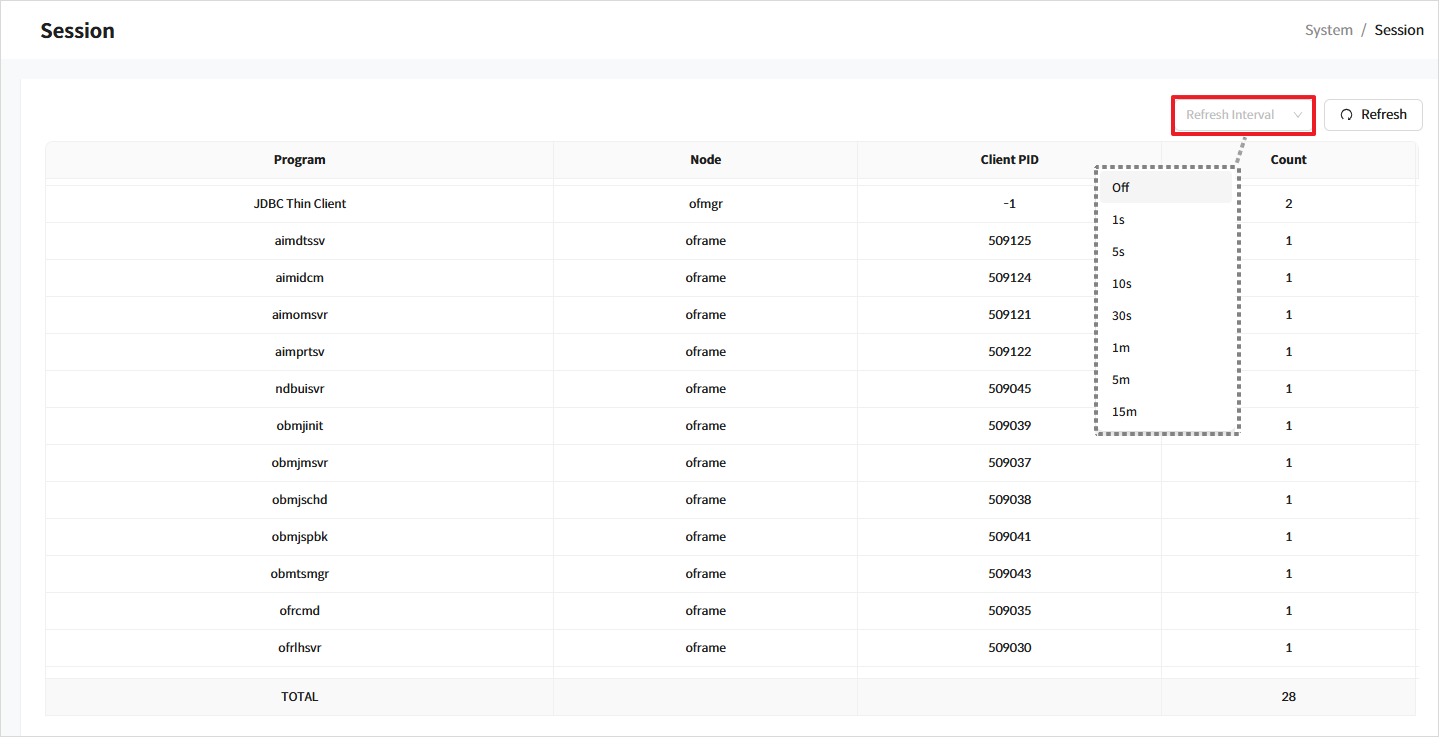
| Item | Description |
|---|---|
Program |
The name of the currently running program. |
Node |
The name of the currently connected node. |
Client PID |
The PID of the currently connected client |
Count |
The number of currently connected sessions. |