Introduction
This chapter describes the basic concepts and environment of JEUS WebAdmin.
1. Overview
WebAdmin is a web interface that allows you to manage JEUS via web browsers. It provides a unified interface for all components of JEUS for comprehensive system management. With WebAdmin, system administrators can monitor and control the state of each JEUS server component.
This guide describes the composition and basic functions of WebAdmin.
2. System Requirements
The following requirements must be met in order to run WebAdmin.
| Environment | Description |
|---|---|
OS |
All operating systems are supported. |
JDK |
JDK 17 |
Browser |
|
Optimum Resolution |
1920px * 1080px |
3. Configuration
This chapter briefly introduces the home screen layout of WebAdmin.
3.1. Permissions
A user must be granted the AdministratorsRole role in the policies.xml file to log into WebAdmin.
<?xml version="1.0" encoding="UTF-8" standalone="yes"?>
<policies xmlns="http://www.tmaxsoft.com/xml/ns/jeus">
    <policy>
        <role-permissions>
            <role-permission>
                <principal>jeus</principal>
                <role>AdministratorsRole</role>
                <classname>jeus.security.resource.RolePermission</classname>
            </role-permission>
        </role-permissions>
        ...
    </policy>
    ...
</policies>
3.2. Using WebAdmin as an SSL Service
The ADMIN-HTTP listener can be configured in Add Listener.
The following describes the procedure of configuring a listener in WebAdmin.
-
Select [Servers] on the menu, and click 'adminServer' on the Server table.
-
On the adminServer configuration menu, click [Resource] > [Listener] .
-
In the Listener page, click [Add]. In the Add Listener page, specify the listener’s name as 'SSL_WEBADMIN' in the Name field. After that, enable the option to use SSL under Ssl. For detailed information about how to configure listeners, refer to Listener Configuration in JEUS Server Guide.
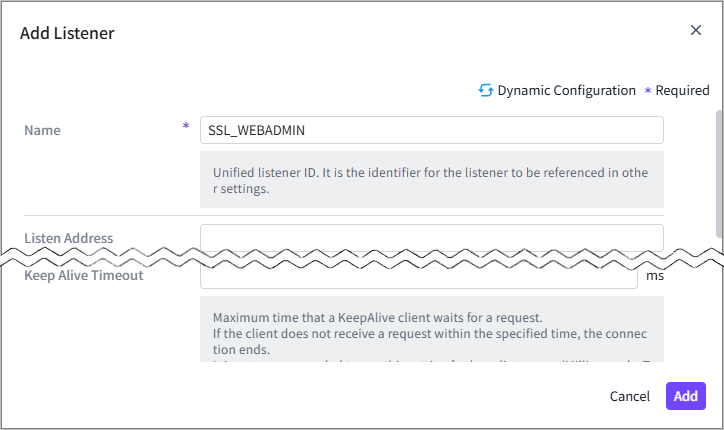 Registering Listener Name
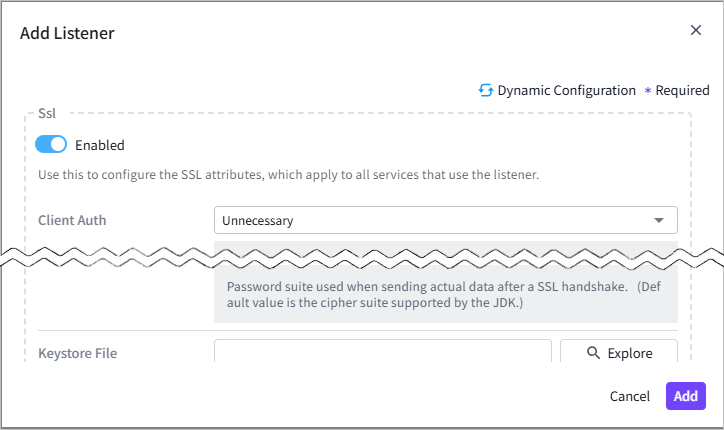 Registering SSL_WEBADMIN
 -
In the basic configuration page, click [Engine] > [Web Engine] > [Web Connections] to view the web connections list. Select an 'HTTP' type listener from the list, and then click [Edit] in the Http Listener page to modify the listener information.
Set 'Server Listener Ref' in the ADMIN-HTTP Listener page to 'SSL_WEBADMIN', and then click [Save].
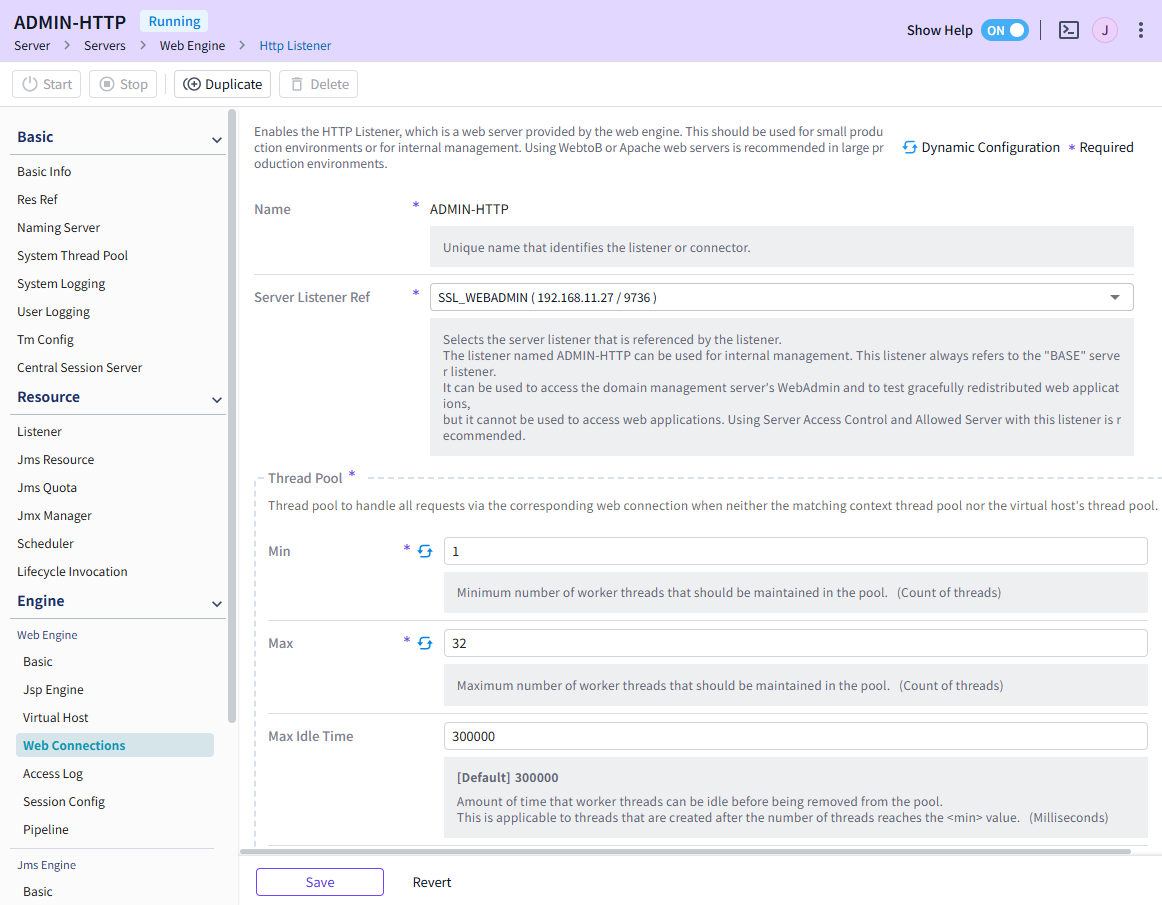 Changing Server Listener Ref