Shortcut Keys
This chapter describes shortcut keys that can be used in the studio.
1. Common Shortcut Keys
Since the studio is developed based on Eclipse, it provides both Eclipse shortcut keys and ProFrame shortcut keys.
| Shortcut Key | Description |
|---|---|
<Ctrl> + G |
Creates source |
<Alt> + C |
Compiles |
<Alt> + D |
Dlupdate |
<Ctrl> + L |
Finds line number in source window |
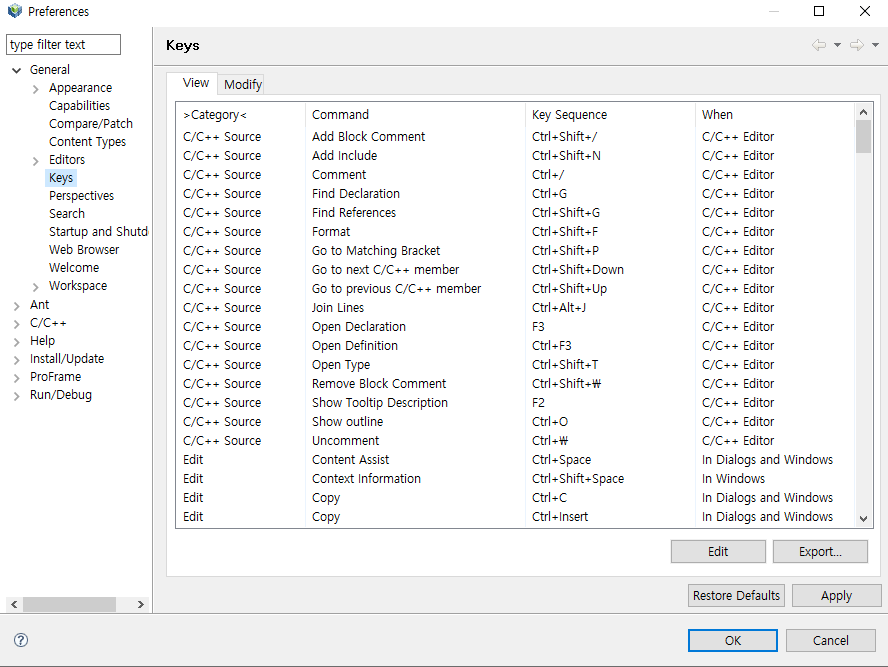
Shortcut keys provided by Eclipse can be checked in [Window] > [Preferences] > [General] > [Keys].
2. EMB Shortcut Keys
Shortcuts available only in EMB Designer are as follows.
| Shortcut Key | Description |
|---|---|
C |
Open Edit Code Area dialog box |
B |
Open Edit Comment Area dialog box |
F |
DbioFetchExecAction |
<Shift> + B |
Define CommBuff |
D |
Define entry conditions |
<Shift> + T |
Define a constant |
<Shift> + C |
Define context |
<Shift> + S |
Define structure |
<Shift> + V |
Define a variable |
N |
Disable module |
M |
Release to disable module |
E |
Coding for exception handling |
T |
ExceptionThrowAction |
J |
InputMappting |
I |
InputStructureViewAction |
Q |
View log |
W |
Stop viewing log |
L |
LoopProcessingAction |
X |
Set XOR |
<Ctrl> + 3 |
Move to design tab |
<Ctrl> + 4 |
Move to source tab |
1 - 9 |
Create new resources
|
R |
Reset module |
S |
Create source |
U |
Perform unit test |
V |
Validate sources |