Console Settings
This appendix describes Log Console and Build Console settings in Studio.
To set console, select [Window] from the main menu and then select [Preferences] > [ProFrame] > [Console].
The following describes items in the Log Console tab.
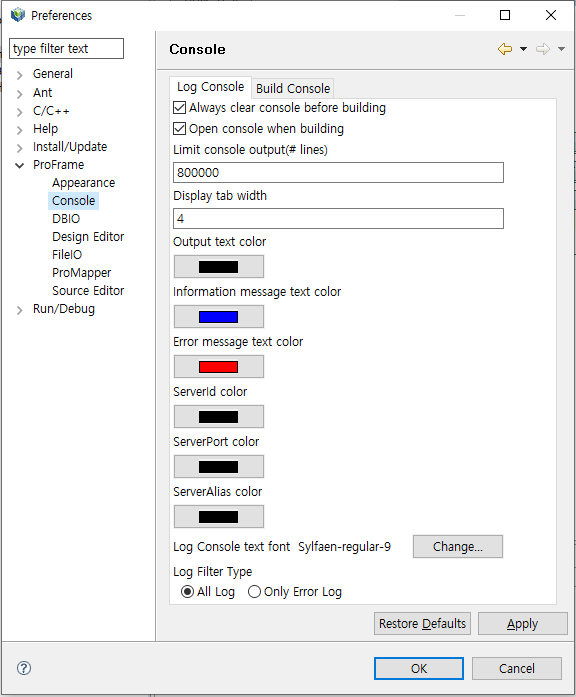
"Log Console text font" sets the log font in the log console.
"Log Filter Type" can be set either 'All Log' or 'Only Error Log'. If set to 'All Log', you can check all logs. If set to 'Only Error Log', you can check only error logs.
The following describes items in the Build Console tab.
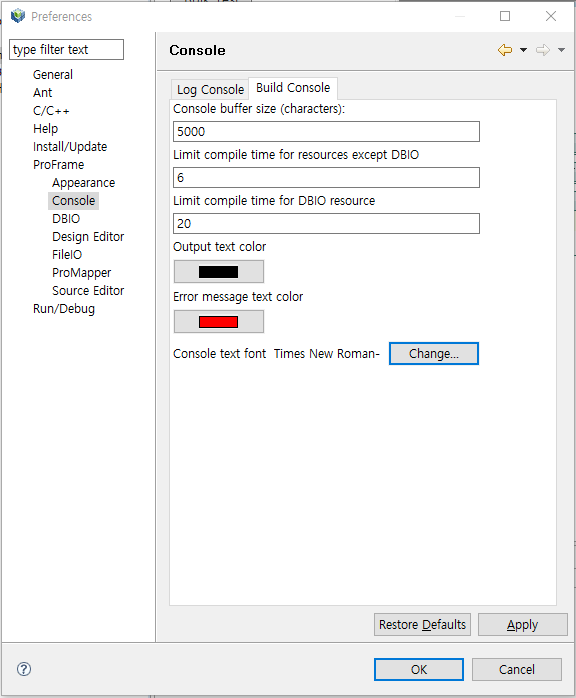
You can set the console buffer size, maximum compile time for DBIO resources, font, and other items.
It takes long time to compile DBIO resources because multiple resources are compiled and objects are created unlike general resources. For this reason, you can set maximum compile time for DBIO resources.